

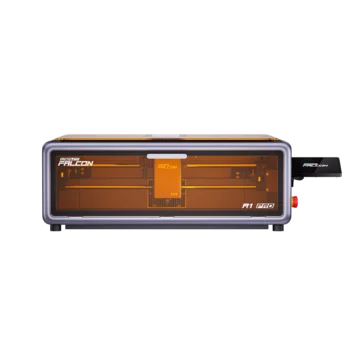
Creality Falcon A1 Pro 20W
Creality Falcon A1 Pro 20w Enclosed Laser Engraver Cutter
Creality Falcon A1 Pro 20w Enclosed Laser Engraver Cutter
Product Summary
The Creality Falcon A1 Pro 20W laser engraver and cutter is designed for hobby makers, small business creators, and customization users who need a compact and easy-to-use desktop diode laser system for engraving and cutting everyday materials.
It features a 20W diode laser with a fine 0.08 × 0.1 mm spot size and a 455 ± 15 nm wavelength, delivering precise and detailed results for a wide range of creative projects. Built with Safety Class 1 (FDA-aligned) design principles, it is engineered to support safer everyday operation in home or studio environments.
The system also supports ventilation and exhaust setup to help manage smoke and fumes during operation, ensuring a cleaner working environment. Positioned as a mid-tier prosumer solution, the Falcon A1 Pro focuses on reliable performance, ease of use, and practical output for small-scale production and creative customization rather than industrial manufacturing.
Key Facts Table
| Attribute | Details |
|---|---|
| Product Name | Creality Falcon A1 Pro 20W Laser Engraver & Cutter |
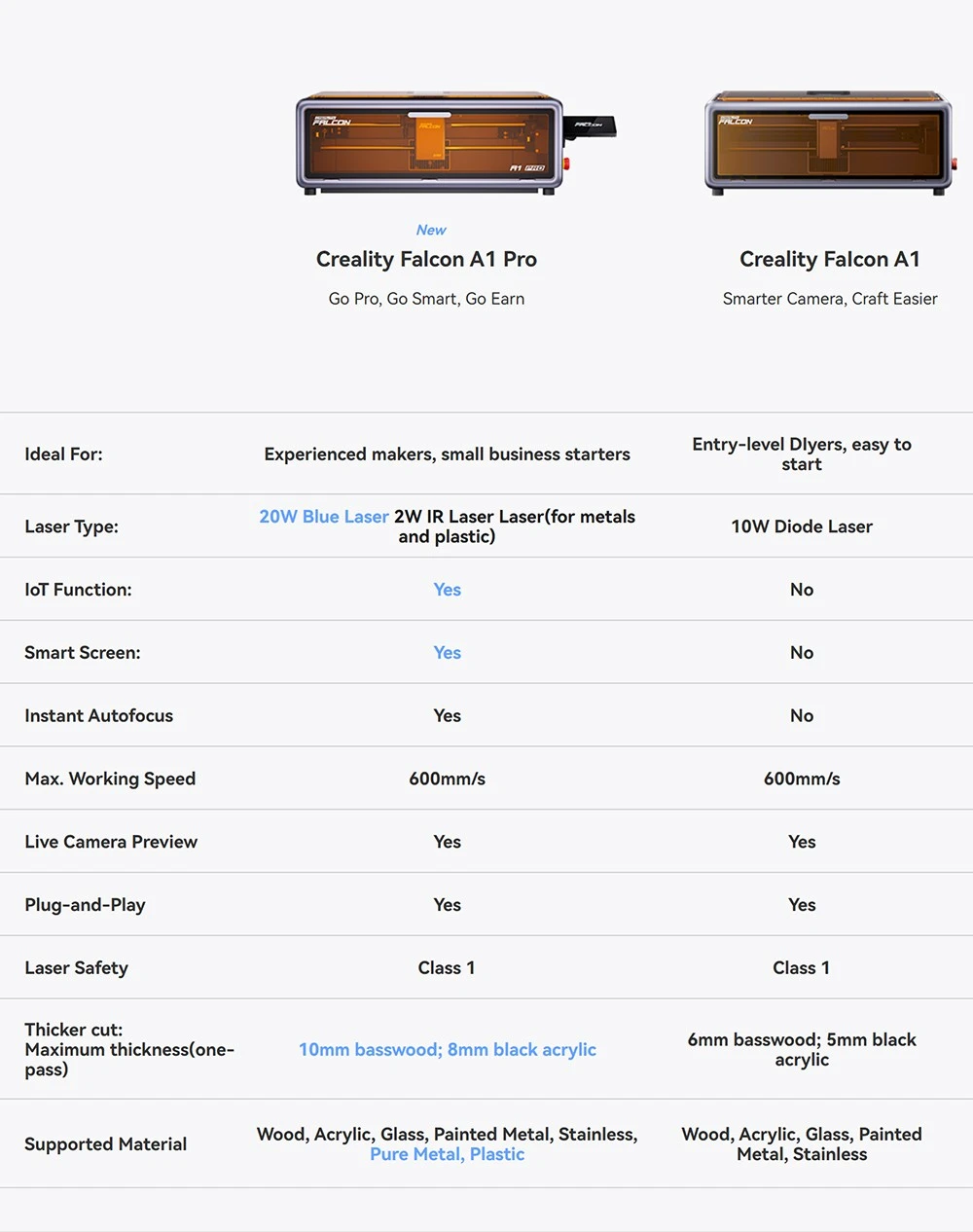
| Laser Power | 20W diode (optional 2W IR laser) |
| Spot Size | 0.08 × 0.1 mm |
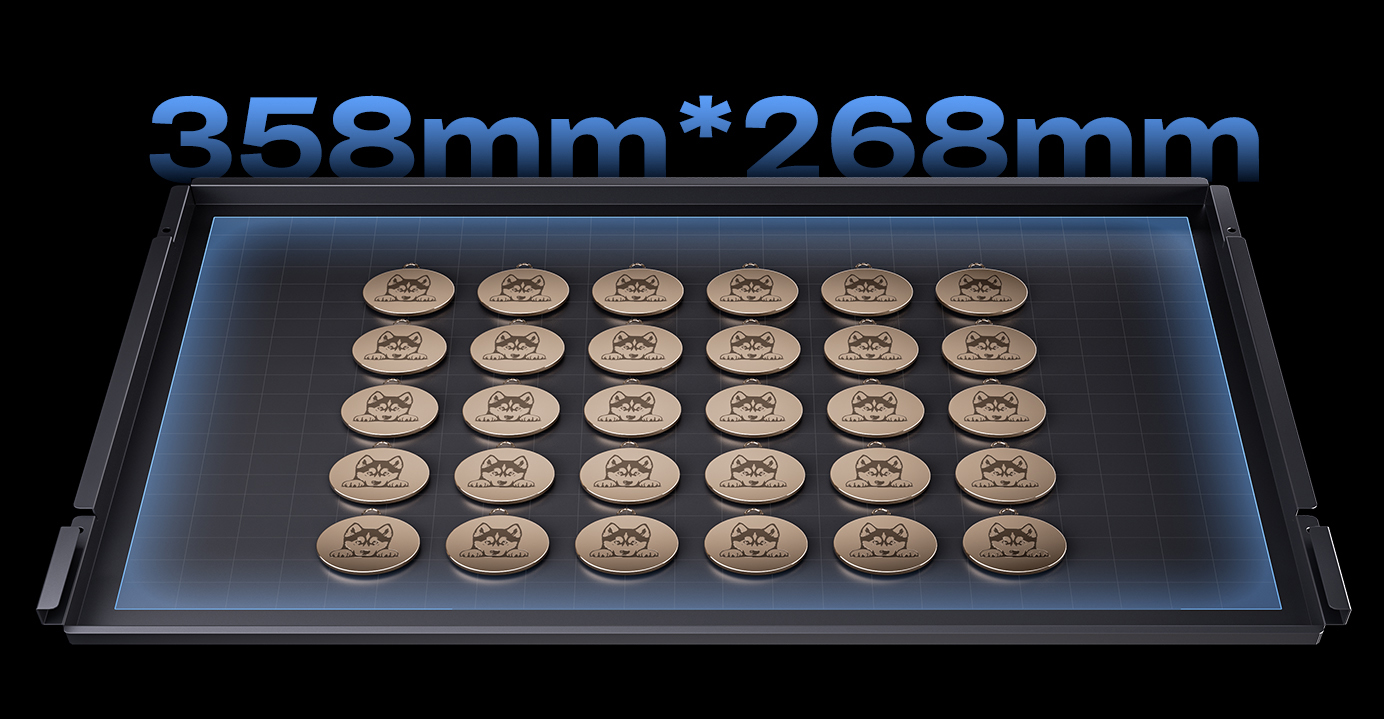
| Working Area | 268 × 358 mm |
| Engraving Speed | up to 600 mm/s |
| Safety Level | Class 1 (FDA-compliant enclosure) |
- 20W diode laser provides primary engraving and cutting performance for everyday materials, while optional 2W IR laser expands capability for IR-compatible metal marking tasks.
- 0.08 × 0.1 mm spot size tightens beam focus for more precise, high-detail engraving output.
- 268 × 358 mm working area supports larger single-piece designs, reducing the need for segmented processing.
- Engraving speed reaches up to 600 mm/s, enabling faster production efficiency on suitable materials and settings.
- Class 1 safety level with FDA-compliant enclosure helps ensure controlled and safer laser operation within a protected environment.
Highlights
20W Laser Power for Multi-Material Engraving
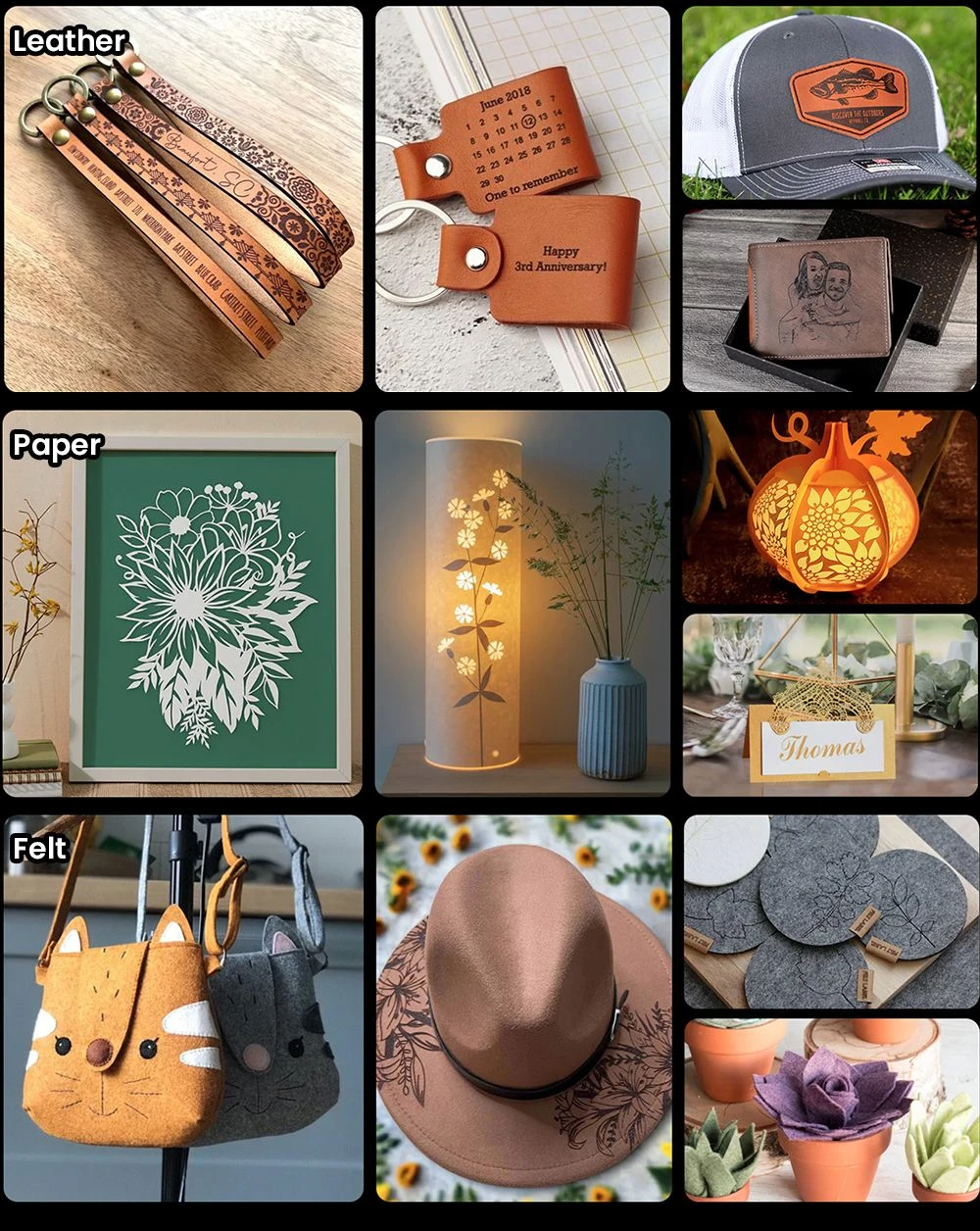
The Creality Falcon A1 Pro is built around 20W laser power, targeting engraving and cutting on common maker materials such as wood, acrylic, leather, and thin metals. This power helps you move from idea to finished custom work without constantly changing tools.
AI Visual Auto-Focus for Accurate Results
The Creality Falcon A1 Pro includes autofocus designed to automatically locate the proper focal point, so you spend less time on manual setup. When your projects switch between materials, this keeps engraving alignment more consistent across sessions.
Up to 600 mm/s Speed for Faster Output
The Creality Falcon A1 Pro supports up to 600 mm/s engraving and cutting speed to help you complete tasks quicker. For batch work like personalized gifts or repeated signage, higher speed can reduce the time between design and delivery.
Fully Enclosed Laser Chamber for Added Safety
The Creality Falcon A1 Pro features a fully enclosed laser design to help minimize exposure to laser light during operation. For home workshops and small studios, the enclosure adds an extra safety layer while you create.
Beginner-Friendly Setup for Quick Learning
The Creality Falcon A1 Pro is positioned for easy setup so new users can get engraving sooner. This helps you start practicing faster and gradually expand into more detailed designs as your workflow improves.




Pros & Considerations
Pros
- The 20W diode laser enables reliable engraving and cutting across common materials such as wood, acrylic, and leather, making it suitable for a wide range of creative and small-business applications.
- With engraving speeds of up to 600 mm/s, it supports efficient workflow and faster project completion when properly configured.
- Built-in autofocus helps simplify setup by assisting in achieving the correct focal distance without manual adjustment.
- The fine 0.08 × 0.1 mm laser spot contributes to sharper detail and cleaner engraving results, especially for intricate designs.
Considerations
- For materials that generate heavier fumes, pairing with an appropriate ventilation or air extraction setup can further enhance the overall working environment.
- While the 20W output provides solid cutting capability, thicker materials may benefit from multiple passes or optimized settings to achieve the best balance of speed and finish quality.
- The fully enclosed Class 1 design offers an added layer of operational safety and control, which may be more suited to users who prefer a structured and contained desktop setup rather than an open-frame workflow.
FAQ
I’m engraving at home, will it be safer, especially around kids and pets, or do I still need precautions?
The Falcon A1 Pro uses a fully enclosed design to help reduce exposure to laser light and lower accident risk, which makes it more suitable for home/small studio setups. However, you should still follow safe handling practices and, when processing materials that produce fumes, use proper ventilation.
For wood and acrylic, how important is ventilation? Can I skip a fume extractor?
You shouldn’t skip ventilation. When working with wood or acrylic, fumes can build up quickly, so a fume extractor / air extraction is recommended for a safer and cleaner workspace.
I’m new, will the autofocus really save time, or is it still fiddly?
It’s designed to be low-effort. The machine includes AI autofocus that automatically finds the proper laser focal point, which helps you avoid repeated manual adjustments and speeds up getting started.
I make custom gifts and signage, how do I avoid wasting time on alignment and repeated test runs?
The A1 Pro’s AI camera + autofocus workflow is aimed at faster alignment and more reliable focus, which reduces time lost to trial-and-error—especially when you switch materials or reposition jobs.
Is the work area big enough for typical small personal projects?
The working area is 358 × 268 mm. For most “personalized gift / small batch” engraving and cutting projects (plaques, small custom designs, accessories), that’s a practical size. For larger pieces, you should confirm your target dimensions fit within this area.
Will it actually help me work faster, or is 600 mm/s just a marketing number?
It supports up to 600 mm/s engraving speed, which is meant to improve throughput and shorten production time for your designs. Real results still depend on your material and settings, but speed is clearly part of the design goal.
Can it cut, or is it mostly for engraving? What’s the “gotcha” with cutting?
It’s intended for both engraving and cutting, but cutting thicker materials can be more challenging. You may need multiple passes and/or adjustments to speed/intensity to achieve the results you want.
Is it beginner-friendly overall, or will I spend most of my time tuning parameters?
It’s positioned as beginner-friendly because the auto-focus reduces setup steps, and the general workflow is designed to be easier to learn than fully manual focusing. That said, as with any laser, results still depend on choosing appropriate settings for each material.
Final Overview
| Basic Specs | Details |
|---|---|
| Laser wavelength | 455 ± 15 nm |
| Exhaust Pipe Diameter | 63mm |
| Exhaust Pipe Length | 2 Meters |
| Auto Focus | Supported |
| Assist System | Air Assist (built-in support) |
| Camera | AI positioning camera (for visual alignment) |
| Control | Touch screen + App / Software control |
| Software Compatibility | LightBurn / Falcon Design Space |
| Material Support | Wood, acrylic, leather, coated metal, etc. |
| Connectivity | USB / WiFi (depending on configuration) |
| Exhaust System | External ventilation / fume extraction support |
| Structure | Fully enclosed desktop design |
| Safety Features | Lid open stop, flame detection, emergency stop button |
| Weight and Size | Details |
|---|---|
| Product Weight | 16.8kg |
| Package Weight | 21.1kg |
| Product Size (L x W x H) | 56.7×46.8×21.1cm |
| Package Size (L x W x H) | 64×55×26.5cm |
| Package Contents | Details |
|---|---|
| 1 x | Laser Engraver |
| 1 x | User Manual |
Bottom Summary
Creality Falcon A1 Pro 20W is a compact laser engraver and cutter aimed at beginners, hobby makers, and small studios that need precise results without a large workspace. It suits users making custom gifts, home décor, signage, and short-run personalized products across wood, leather, acrylic, and similar materials. The automatic focusing and enclosed design reduce setup friction and improve everyday safety, while the fast workflow supports quicker turnaround on one-off jobs and small batches. Ultimately, it is a suitable choice for users who want precise, efficient engraving and cutting and can accept the need for proper ventilation and a desktop footprint that is larger than ultra-portable tools.
🚀 Top Features:
- 20W Blue + 2W IR Lasers (Need to make a purchase)– Engraves 350+ materials
- Smart Camera – Auto Focus, <0.012″ Precision
- App Control – Monitor & control in real time
- 8 Safety Shields – Safer for home, school & studio
- 3X Faster – Boost your productivity
- All-in-One Design – Compact & easy to use
⚠️ Not for use on mirrored or highly reflective materials
Note: Due to stock limitations, the gifts (consumables pack and honeycomb board) unlocked after 600 units are sold worldwide may be shipped separately from the machine.
Creality Falcon A1 Pro
Go Pro, Go Smart, Go Earn
Key Features

Innov.I
App Control
Real-time Monitoring

Innov.II
Smart Touch Screen
Convenient Working

Innov.III
Smart Camera for Auto Focus <0.012″ Precision

3XFaster

8Safety Shields

20W Blue & 2W IR
Work with 350+ Materials

All-New Samrt Workflow

All-in-One
Laser Ecosystem
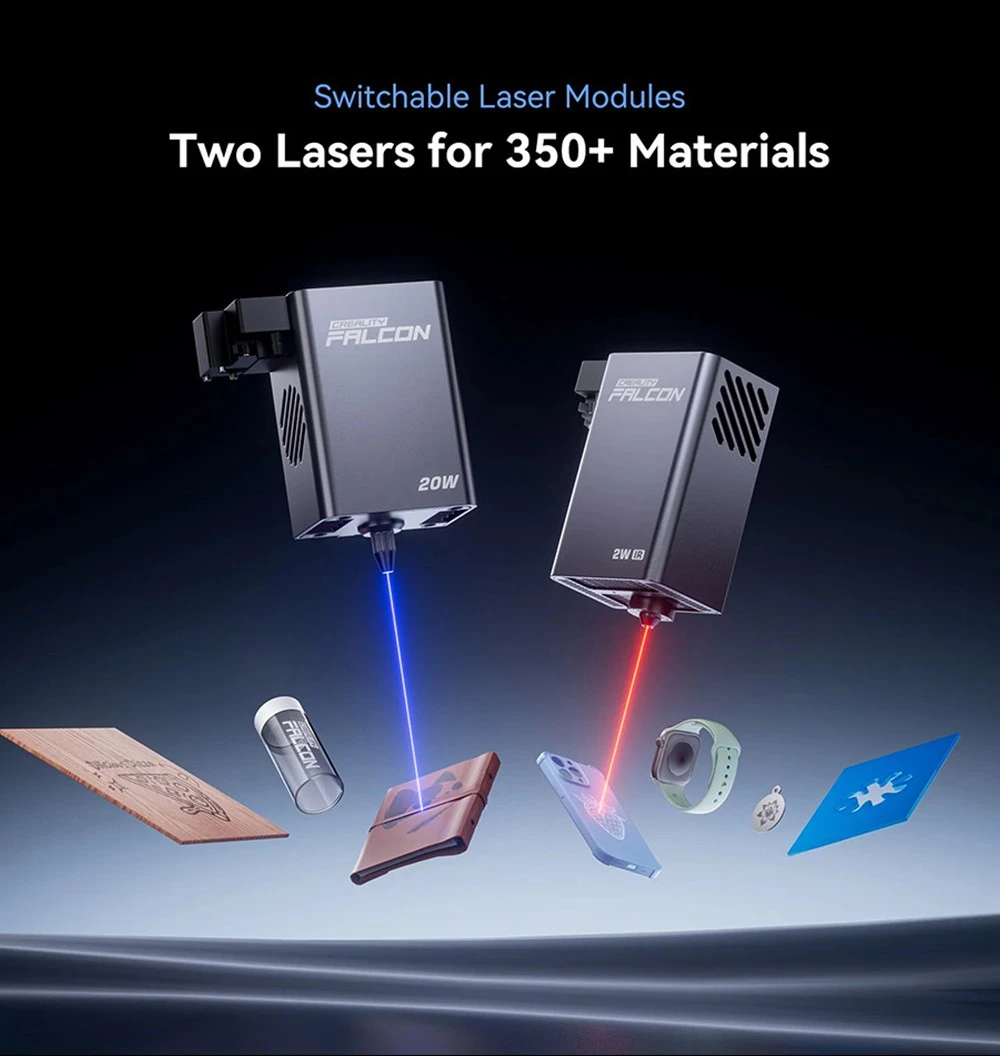
Switchable Laser Modules
Two Lasers for 350+ Materials
20W Blue
2W IR
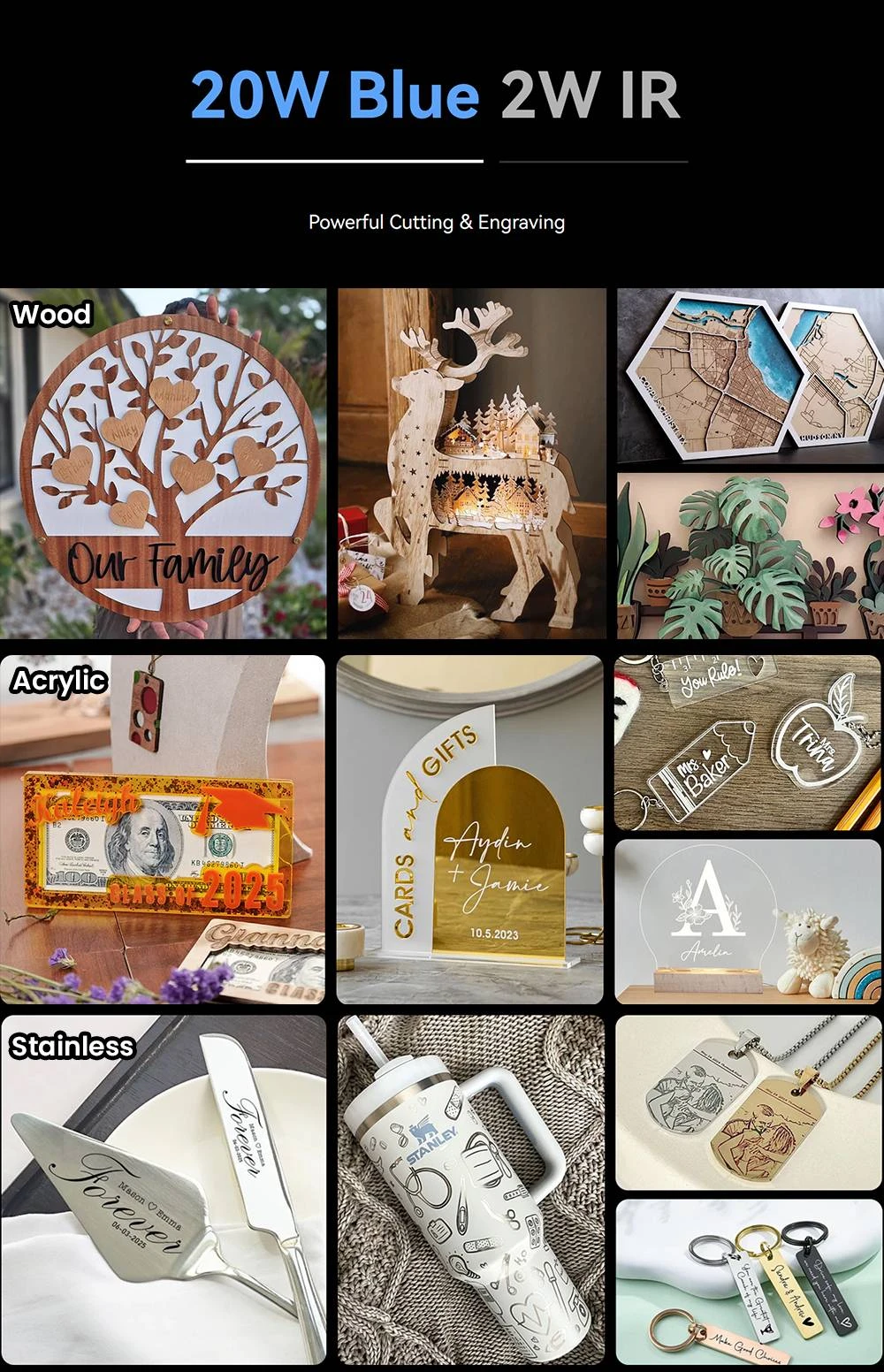
20W Blue Diode Laser Powerful Cutting & Engraving

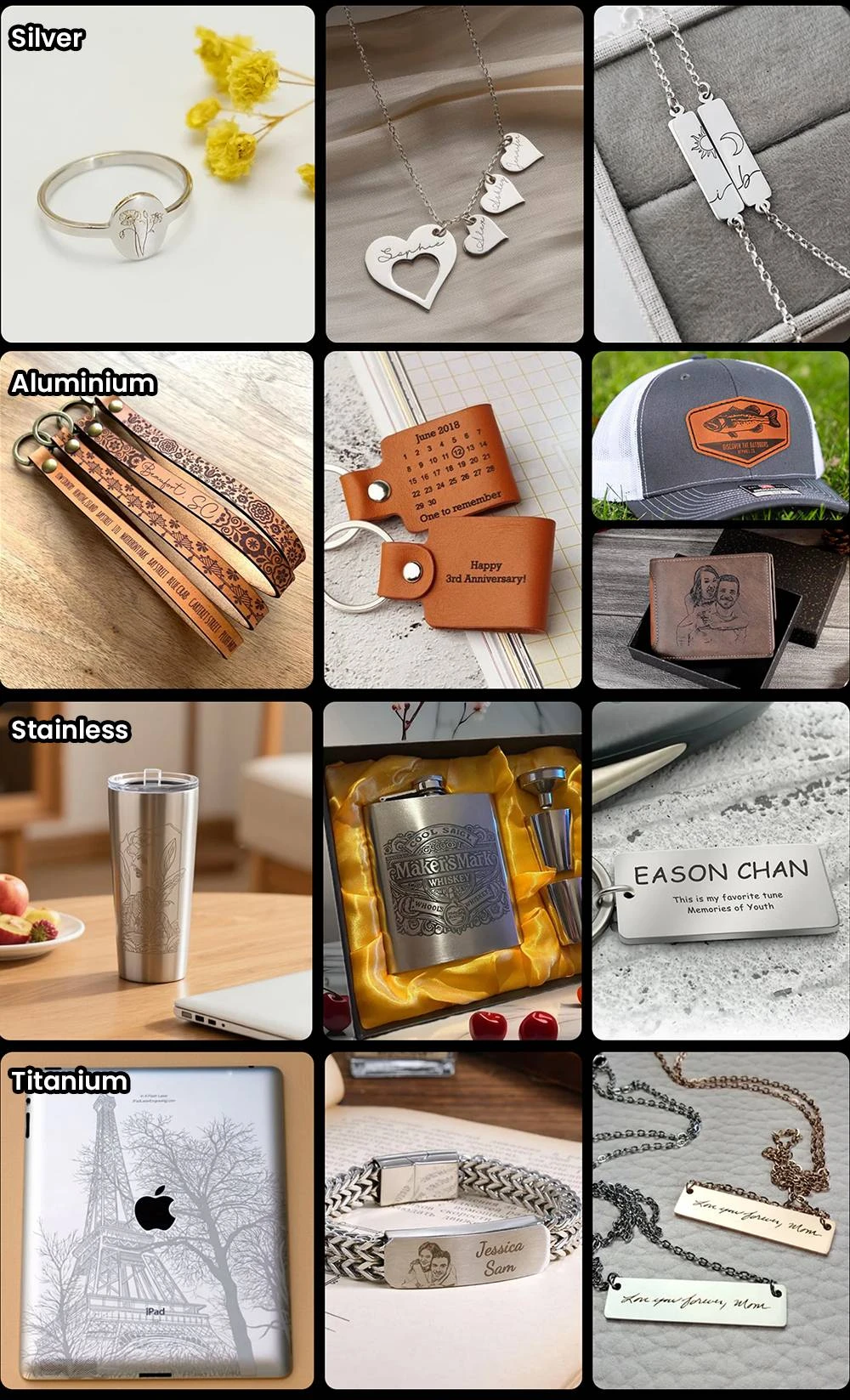
Wood
Acrylic
Stainless
Glass
Rock
Cloth
Leather
Paper
Felt
Painted-metal
20W
Create Like A Pro
10mm Basswood,
8mm Black Acrylic,
0.04mm Stainless Sheet.
Hitting speeds of 600mm/s.
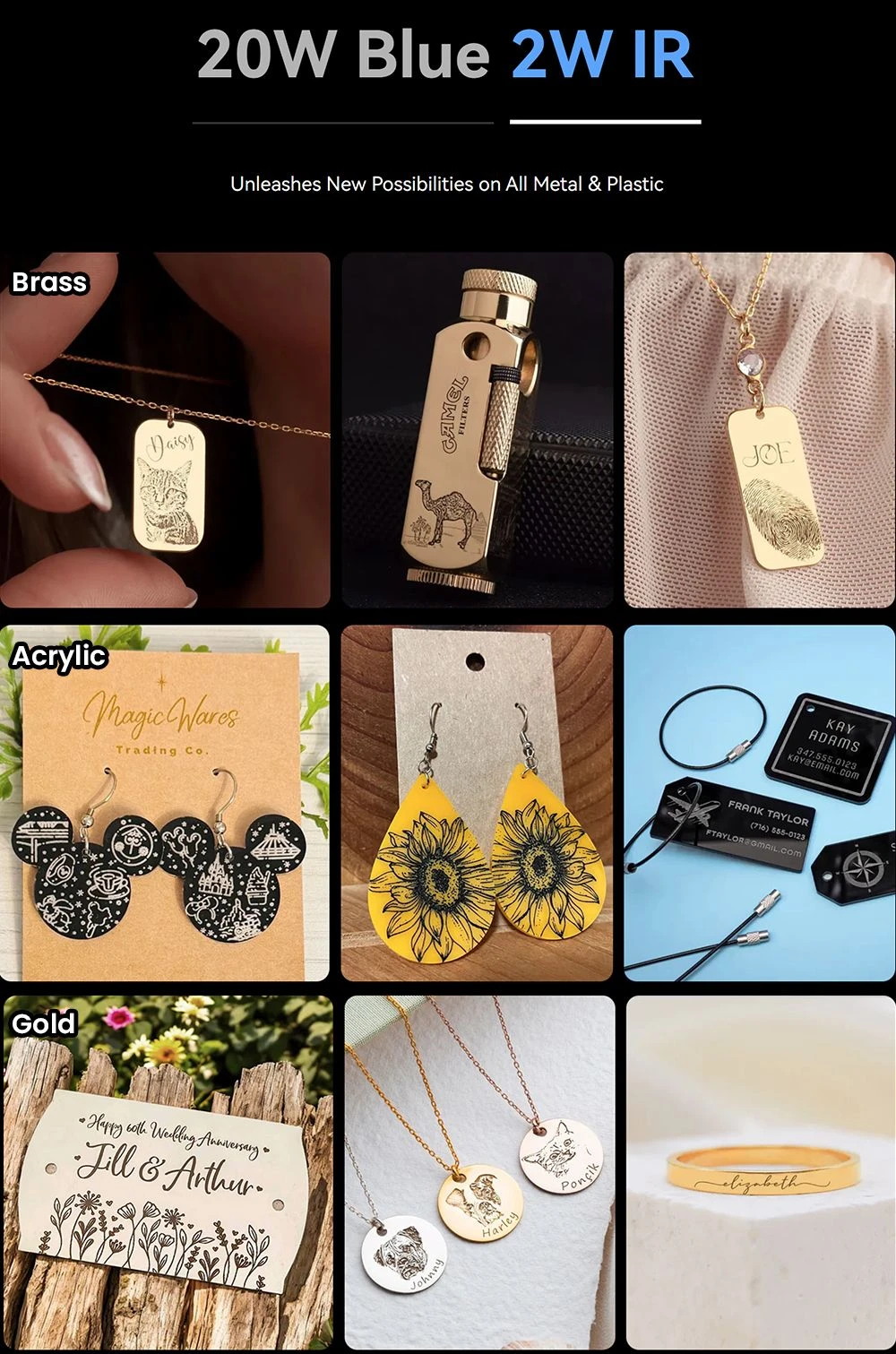
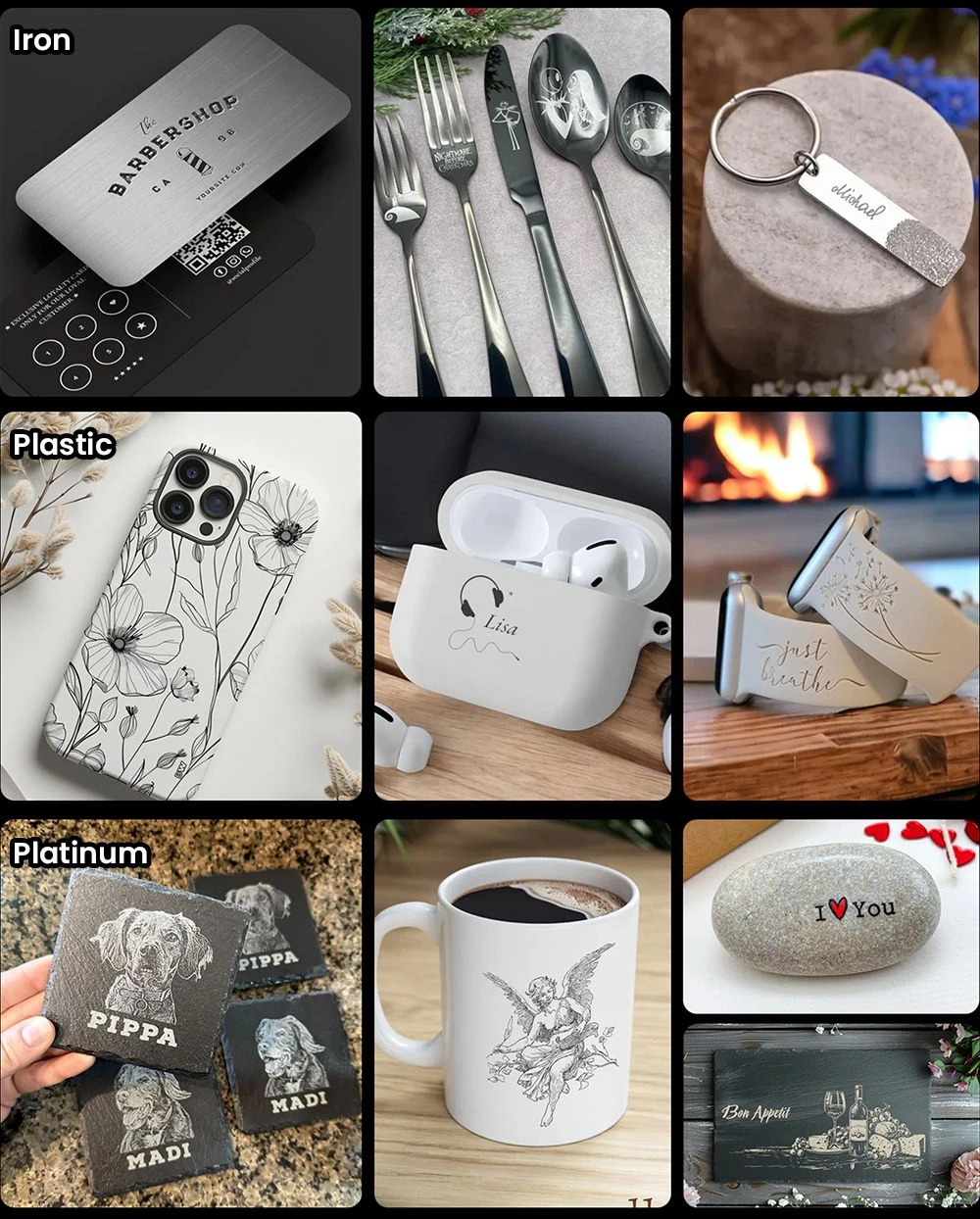
2W IR
Ultra-HD Engraving
Featuring a 0.03mm ultra-finelaser spot and 1064nm IR technology , it delivers unmatched detail for engraving photos, jewelry, business cards, and more.
Differences Between 2W IR & 20W Blue Laser Module
+
Tool-Free Laser Swap in 3 Steps
Your Time Saved
Z-axis integrated double wire buckle design deliveres plug-and-play precision, change modules faster than brewing coffee.
1
Slide

2
Press
3
Go
VS
Others method: 5min with tools!
Innov.I
Your Workshop Runs Smarter
Real-Time Monitoring, From Anywhere
Check your progress anytime, anywhere—from your couch to your kitchen. The app keeps you updated in real time, so you can multitask without worry.
*Note: UI shown is for reference only. Please refer to the actual product for final appearance.
Flame Detection,
Instant Stop & Alert
AI-Powered Flame Detection for Instant Protection With advanced AI, the system detects flames in real time, instantly stops operation, and sends immediate alerts via the app. React quickly, stay safe, and prevent further risk—automatically.

Innov.II
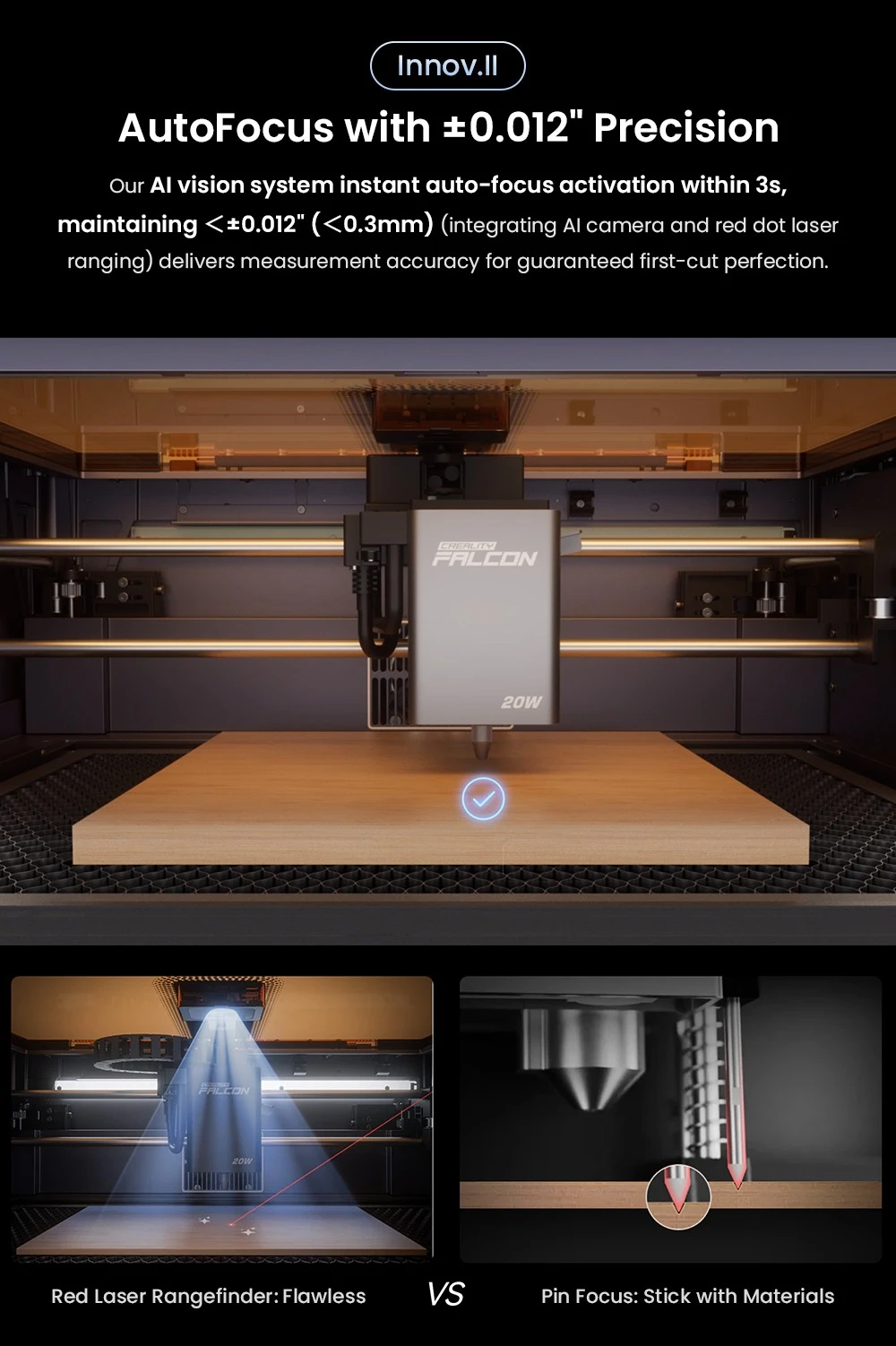
AutoFocus with <0.012″ Precision
Our AI vision system (integrating AI camera and red dot laser ranging) deliversInstant auto-focus activation within 3 seconds, maintaining <0.012″ (<0.3mm)measurement accuracy for guaranteed first-cut perfection.


Red Laser Rangefinder: Flawless
VS
Pin Focus:Stick with Materials
HD Camera, Accurately Positioning
Top View Camera, HD Vision
Previews the entire area, helps you see and position your objects accurately for precise cuts and engravings.

Precisely Positioning

Pre-Calibration

Pre-Calibration
Trace Drawings, Handwriting, Doodles
Traces the contours of your designs with the help of an HD camera, create fun, original images that are truly personal to you.
Batch Engraving
Intelligently recognize shapes through the camera, and fill patterns on multiple objects.
High Speed, High Efficiency
Create in Fast Speed 600mm/s
Remain Consistant stability in high speed moving
Create Big in Large Aera,
Create More in Batch Pocessing
Engrave Multiple Items at Once
Maximising productivity
Create Safer and Healthier
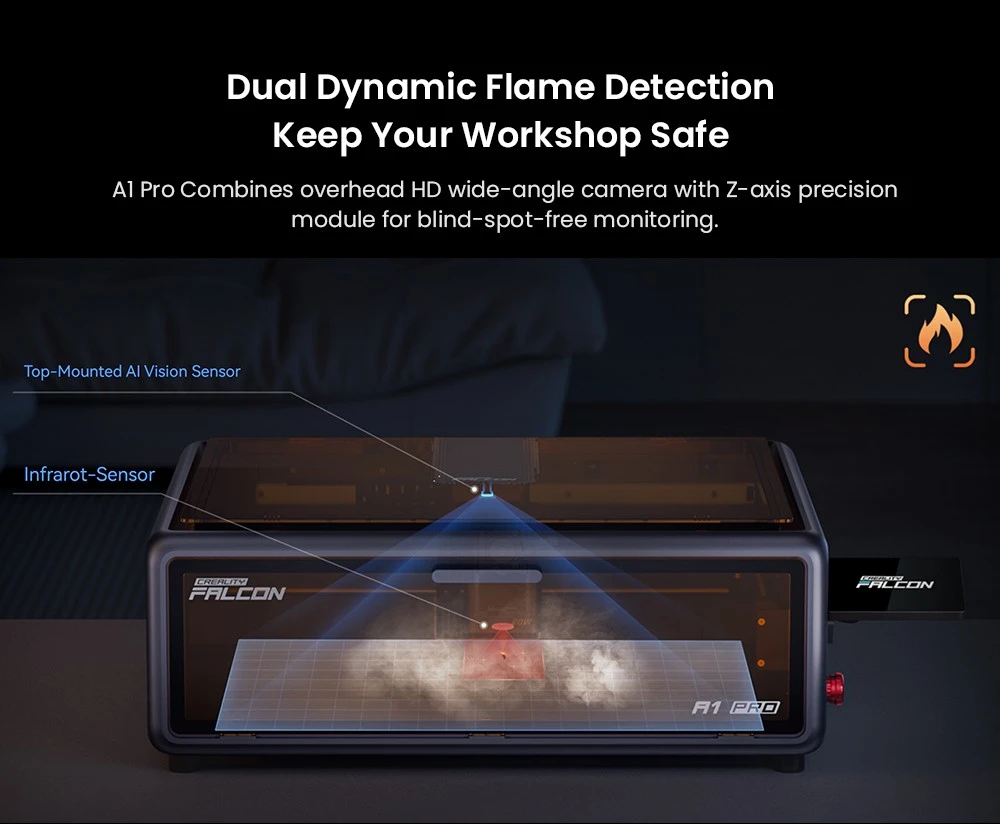
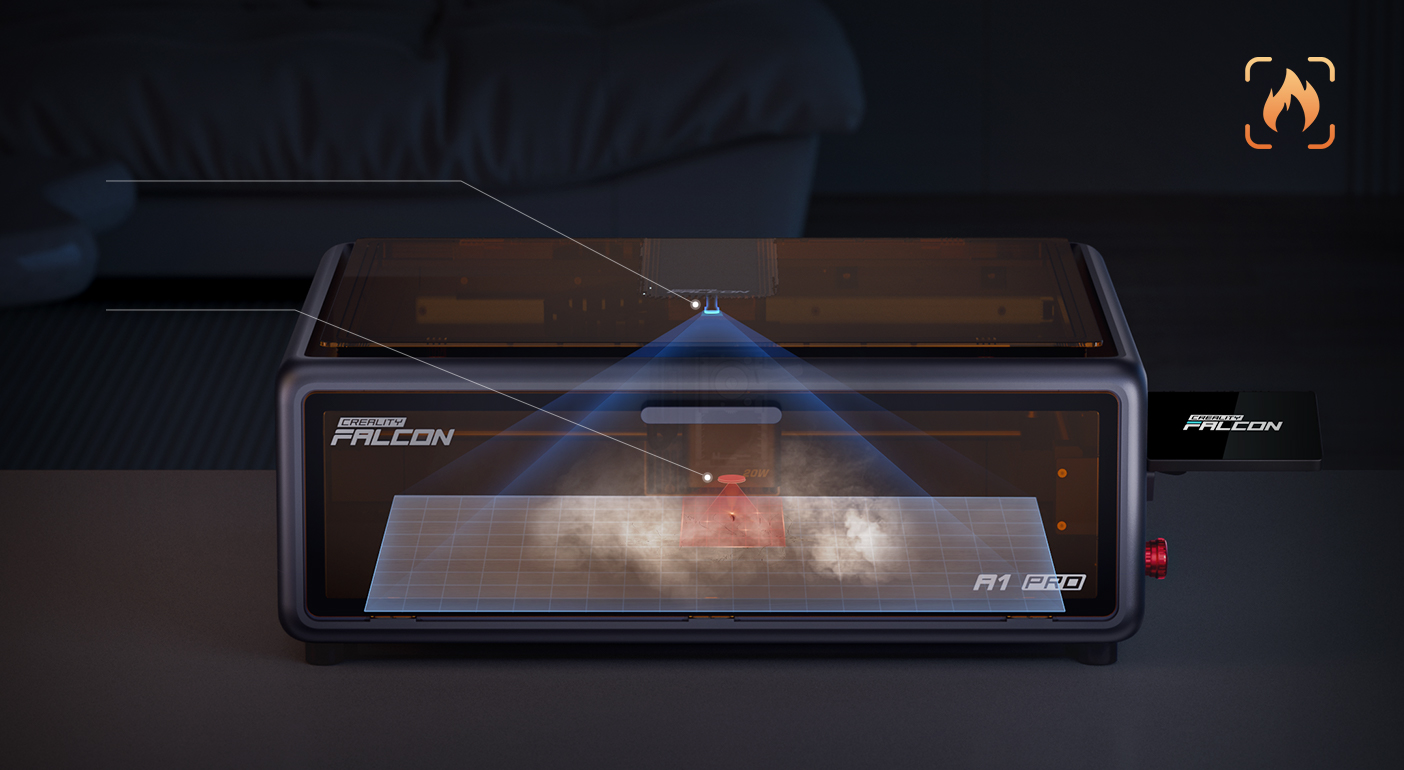
Dual Dynamic Flame Detection Keep Your Workshop Safe
A1 Pro Combines overhead HD wide-angle camera with Z-axis precision module for blind-spot-free monitoring
Top-Mounted AI Vision Sensor
Infrared Sensor

Enclosed Design for Home Use
Creality Falcon A1 Pro’s enclosed design is safe for creating, ready for your home entertainment.

Class 1 Laser Safety
Blowing away hot smoke when cutting materials, reduce the temperature, and cut more clean and smooth.

Eye-Protection Cover
The fully enclosed cover blocks the harmful laser light, you can view your craft creating without worry.

Extraction Fan
Built-in smoke exhaust filter and two cooling fans on the laser head to effectively extract the smoke during processing.

Smart Laser Leakproof
During laser work, lid-open safety stop, designed to prevent laser leakage.

Emergency Stop Button
Has a built-in emergency stop button for a quick shutdown in case of emergency.
Falcon AP1 Smoke Purifier
Create Safer and Healthier
Working with the Falcon AP1 smoke purifier, it can remove 99% PM2.5
and VOCs, ensuring healthy breathing during laser processing.

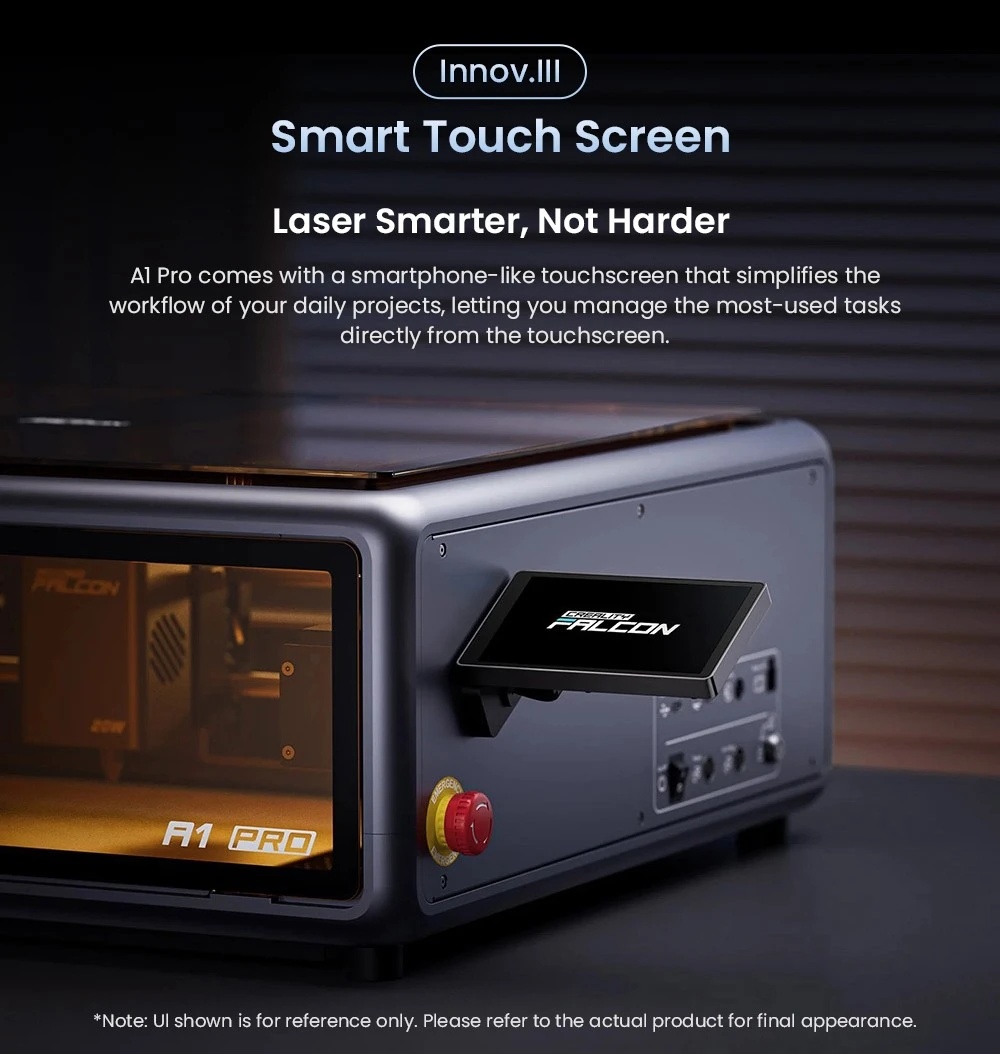
Innov.III
Smart Touch Screen
Smarter Laser, Simpler Control
A1 Pro features a phone-like touchscreen that makes everyday tasks
easier, with no messy cables or complicated steps.
*Note: UI shown is for reference only. Please refer to the actual product for final appearance.

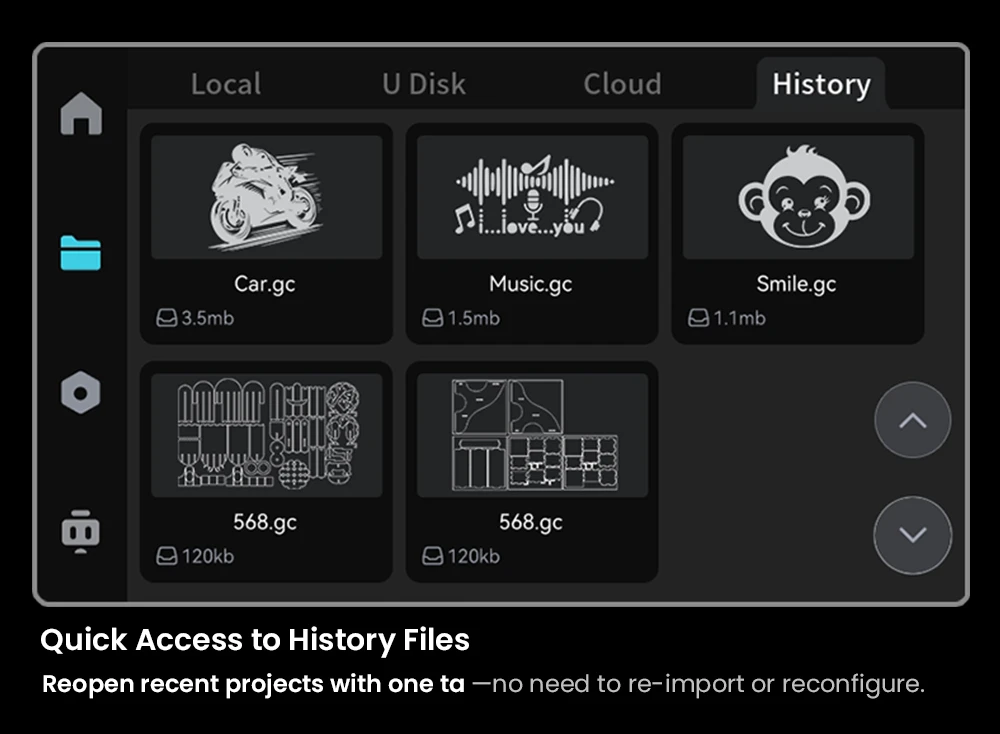
Quick Access to History Files
Reopen recent projects with one tap—no need to re-import or reconfigure.

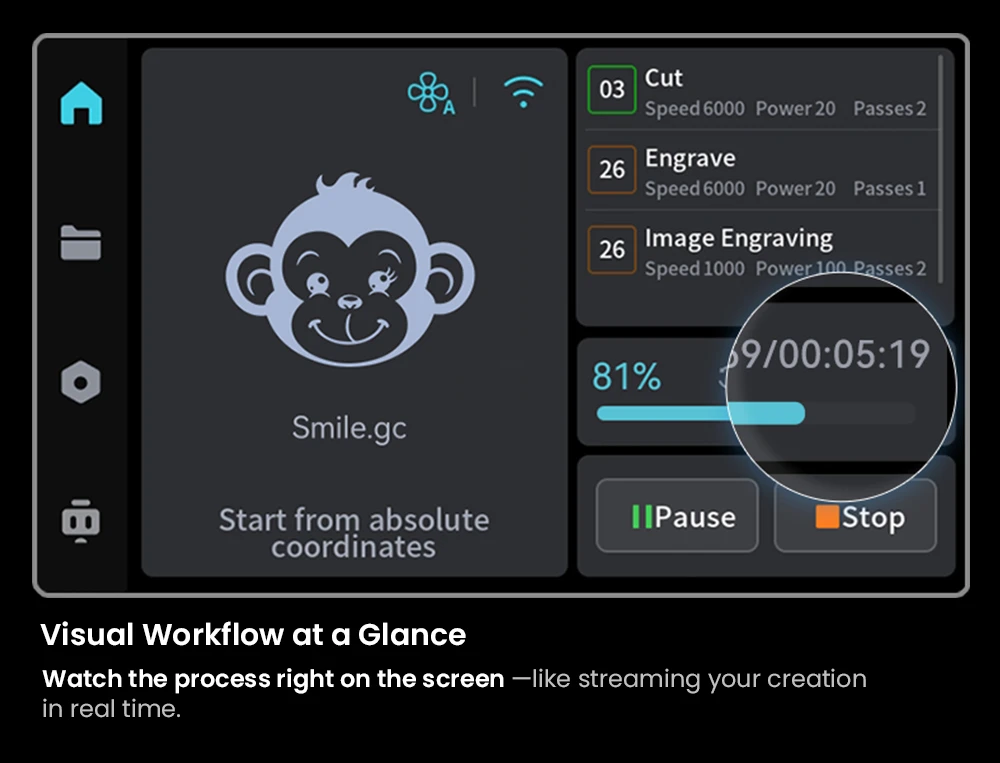
Visual Workflow at a Glance
Watch the process right on the screen—like streaming your creation in real time.

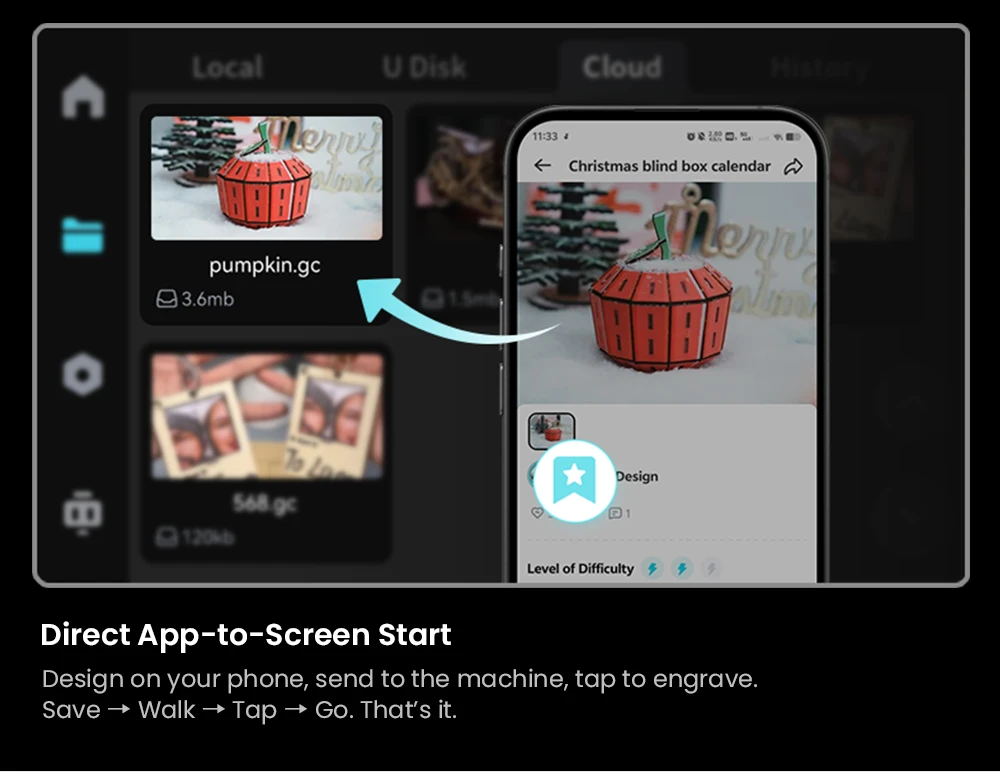
Direct App-to-Screen Start
Design on your phone, send to the machine, tap to engrave.
Save→Walk→Tap→R→Go. That’s it.
Try it, Love it
ONE Minute Unbox to Masterpiece
Unbox, power up, and engrave-no adjustments needed. Pure precision and creativity from minute one.
More Space-saving Design
It occupies significantly less space than others of a similar build volume, compact to fit any spacse, Dimensions:567*468*211mm
Space Efficiency: 47%*
Dual Window with Clear View Easy to take, push and pull
The spacious, high-visibility window provides excellent filtration while offering a real-time view of your work, so you can watch the magic un-

Falcon Design Space

Easily accomplish the entire process of model selection, printing, and monitoring through Falcon Design Space.

A streamlined new UI system provides more intuitive guidance, allowing anyone to master the A1 Pro effortlessly – no expertise required.
Getting Optimal Preset Parameters
One-click to set optimal parameters, you can skip the trials and jump straight to success.